
ImagePlus integrates three essential creative utilities into one fast, lightweight app: (1) AI-powered Prisma cartoon and artistic neural filters, (2) a multi-image collage creator with customizable borders, and (3) interactive iOS Home Screen widgets to display your photos aesthetically.
IPHONE • IPAD • AI PHOTO EDITOR • COLLAGE • WIDGETS
AI Image Editor, Collage Maker & Photo Widgets
Transform snapshots into fine art paintings, build elegant photo collages, and display memories on your iOS Home Screen.
ImagePlus brings professional artistic intelligence to your fingertips. Convert everyday camera roll photos into striking Prisma cartoon illustrations, design multi-photo grid collages with custom borders, secure your work with transparent watermark logos, and customize your iPhone with dynamic aesthetic widgets.

Prisma AI Cartoon & Painting FiltersMulti-Grid Collage Studio & Crops100% Private On-Device Processing
CoreML Neural Studio
Interactive AI Filter Preview
Neural Effect Strength85%
Converts photos into expressive post-impressionist oil paintings.
ImagePlus - AI Image Editor
Designed for iPhone, iPad & Mac · Developed by Softnoesis
App Store Rating
4.8 ★ • Top Rated
User Verified Photo Utility
Compatibility
iOS 13.0+ • 28 MB
iPhone, iPad & Mac Universal
Visual Tools
Explore ImagePlus Creative Features
From one-tap AI cartoon transformations to home screen widgets and watermarking, experience intuitive photo editing.
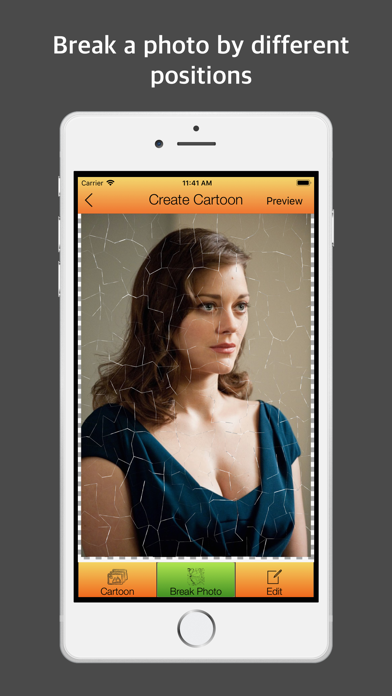
AI Artistic Styles
Transform Everyday Photos into Masterpiece Art & Prisma Cartoons
Give your portraits, cityscapes, and pet photos a dramatic makeover with advanced neural art filters. ImagePlus features real-time Prisma cartoon conversion, vibrant watercolor strokes, pencil sketches, and oil canvas textures rendered on your iPhone with crisp clarity.
- Prisma Neural Styles: Convert camera snapshots into expressive paintings and graphic cartoon artwork in seconds.
- Adjustable Filter Intensity: Fine-tune opacity, color warmth, and edge sharpness to achieve the ideal visual aesthetic.
- Instant Live Preview: Compare before-and-after results instantly with smooth real-time GPU rendering.
Complete Creative Toolkit
Designed for Everyday Photographers & Creators
Essential photo styling tools engineered specifically for Apple devices with blazing performance and zero clutter.
Neural AI Art Filters
Instant artistic transformation algorithms including cartoon, sketch, pop art, and classic oil painting effects.
- Prisma cartoon transformation
- Pencil sketch & pastel modes
- GPU-accelerated processing
Smart Collage Builder
Merge multiple photos effortlessly with customizable frame borders, rounded corners, and pastel backgrounds.
- Over 30 creative layouts
- Freeform drag-and-drop
- Multi-aspect ratio outputs
iOS Home Screen Widgets
Elevate your iPhone aesthetic with customized photo widgets that showcase loved ones, pets, and trips.
- Small, medium & large sizes
- Automatic photo rotation
- iOS 17 & 18 optimized
Watermark & Copyright Tool
Protect your intellectual property with customizable text watermarks, logo stamps, and opacity controls.
- Transparent PNG logo support
- Adjustable stamp opacity
- Position presets & angle lock
Precision Crop & Rotate
Crop with exact pixel accuracy, flip vertically or horizontally, and correct skewed angles with zero quality loss.
- Freeform & fixed aspect crops
- Lossless 90° and 180° rotation
- Horizon level alignment
Private On-Device Editing
All image editing, AI filters, and collages are rendered locally on your device without uploading photos to external servers.
- 100% on-device processing
- No cloud upload required
- Full camera roll privacy
Developer Support
Have Feedback or Feature Suggestions for ImagePlus?
We frequently optimize our neural models, expand collage template collections, and enhance widget aesthetics based on user feedback. Connect with our engineering team directly.
Clear Answers