
No! VidTime provides clean, professional video exports with absolutely zero watermarks, so your content looks authentic, professional, and unbranded on YouTube, TikTok, Instagram Reels, and client presentations.

IPHONE • IPAD • PRO VIDEO EDITOR & MUSIC MAKER
Vidtime: Video Editor, Music
Multi-Track Timeline • Custom Music & Voiceover • Animated Stickers • Zero WatermarkCreate viral social videos with Hollywood-grade fluidity. Trim, merge multiple clips, overlay background songs and voiceovers, apply dynamic stickers, and export unbranded videos for YouTube, TikTok, and Instagram Reels with VidTime for iPhone.

100% Free on App StoreZero Export WatermarkMulti-Layer Track SplicingMusic & Voiceover Mixer
Vidtime: Video Editor, Music
Official Apple App Store Release • Developed by Softnoesis
Version
2.3
UI & UX Improved • High-Bitrate Engine
App Rating
4.5 • Video Editor
Verified App Store Creator Reviews
EXPERIENCE VIDTIME ON IPHONE & IPAD
Explore the Signature Video Editing Suite
Click through the tabs below to preview the mobile interface and see how VidTime makes video creation fast, versatile, and stunning.
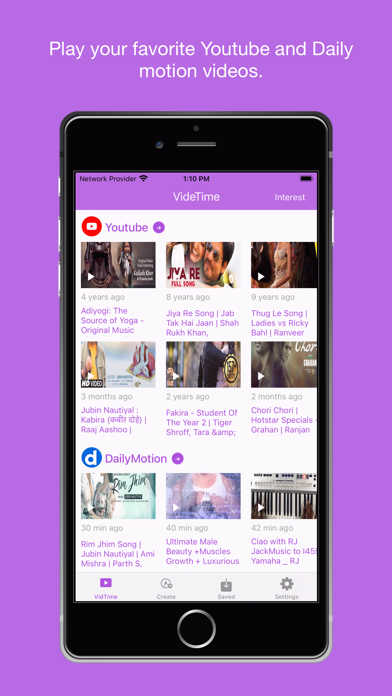
iOS Creator Spotlight
Multi-Layer Timeline with Precision Trimming & Clip Merging
Assemble cinematic stories with professional editing fluidity. Import multiple camera roll clips, arrange them across multi-layer timelines, slice unwanted footage with frame-level accuracy, and merge them into seamless masterpieces.
- Multi-Clip Merging: Combine separate video recordings into one continuous cohesive movie.
- Frame-Accurate Trimming: Cut and slice video segments with millisecond timeline scrubbing precision.
- Multi-Layer Video Tracks: Overlay B-roll footage, reaction shots, and title graphics effortlessly.
- Zero Watermark Guarantee: Export all your edited creations in crystal clarity with absolutely no branding watermarks.
Requires iOS 15.6 or later • 100% FreeARCHITECTURAL CAPABILITIES
Engineered for High-Velocity Mobile Video Creation
Built on Apple AVFoundation hardware acceleration for fast timeline rendering, real-time audio scrubbing, and instant social publishing.
Zero Watermark Guarantee
Export clean, pristine videos without any annoying app watermarks, logos, or mandatory sponsor branding.
- No logo stamps on your exports
- Full 1080p HD & 4K resolution options
- Clean aesthetic for business & personal clips
- No subscriptions required for watermark removal
Multi-Layer Video & Track Splicer
Arrange, split, and merge multiple video tracks with smooth transitions and frame-accurate timeline scrubbing.
- Multi-clip gallery batch import
- Frame-level cut, trim, and split tools
- Rearrange clip sequence with drag and drop
- Smooth dissolve and wipe transitions
Integrated Soundtrack & Voiceover
Elevate your videos with background songs, customizable volume ducking, and direct microphone recording.
- Attach music from personal audio libraries
- In-app microphone recording with live monitor
- Audio level ducking so speech stays legible
- Fade in and fade out audio curves
Creator Motion Typography & Stickers
Make text pop with bold fonts, animated GIF stickers, emoji overlays, and custom canvas drawings.
- Modern typography with strokes & drop shadows
- Animated GIF and trending meme stickers
- Draw arrows, highlights, and custom objects
- Custom shapes, banners, and callout overlays
Frame-Accurate Speed Ramping
Create dramatic slow-motion highlights or dynamic high-speed time lapses with smooth curve interpolation.
- 0.25x slow-motion cinematic replays
- Up to 4x hyper-speed time lapses
- Preserves audio pitch during speed changes
- Reverse video playback in a single tap
1-Tap Social Publishing Suite
Export perfectly formatted videos tailored for Instagram Reels, TikTok, YouTube Shorts, and WhatsApp.
- Native 9:16 vertical and 16:9 widescreen formats
- Direct integration with Instagram & TikTok
- Fast camera roll export with HDR retention
- Save directly to Files or send via AirDrop
VidTime Support
Questions or Feedback Regarding VidTime?
Our iOS video engineering and mobile development team at Softnoesis is here to assist you with video trimming, timestamp tagging, or format compatibility questions.
Clear Answers